Replication and Read Replicas in Distributed Databases
By Oleksandr Andrushchenko — Published on
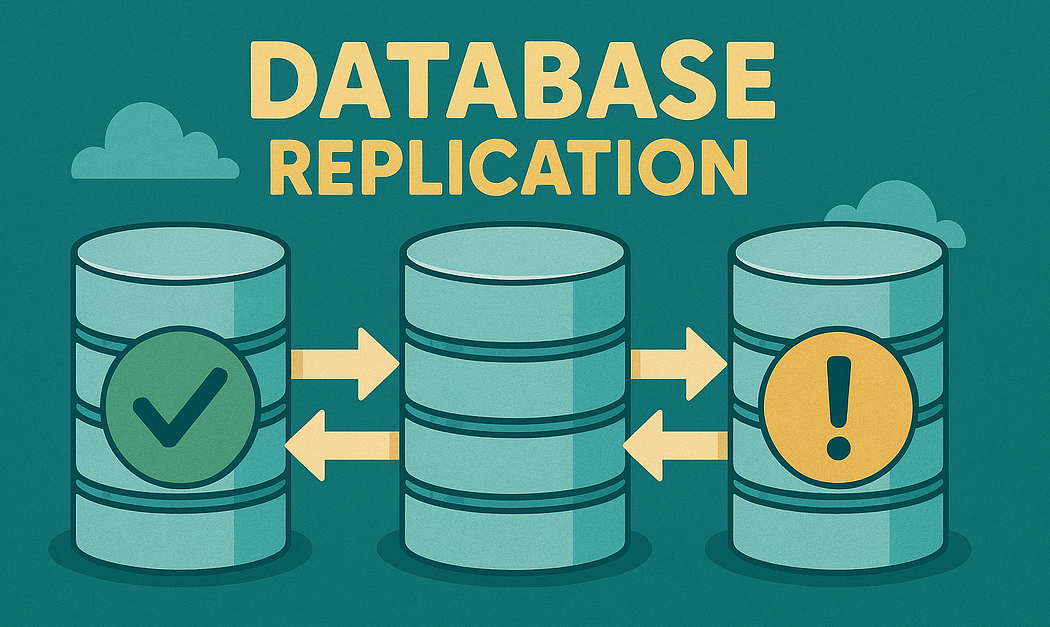
Database replication maintains copies of data across multiple database nodes. A primary node usually accepts writes, while one or more replicas copy those changes and may serve read traffic, provide disaster-recovery capacity, or support analytics workloads.
Replication can improve read scalability and availability, but it does not automatically increase write capacity. It also introduces replication lag, stale reads, failover complexity, consistency trade-offs, and operational risks that application architecture must handle explicitly.
Table of Contents
- What Database Replication Solves
- Primary-Replica Architecture
- Synchronous Replication
- Asynchronous Replication
- Semi-Synchronous Replication
- Replication Mode Comparison
- Read Replicas
- Replication Lag
- Read Consistency
- Read Routing
- Failover and Replica Promotion
- Replication Topologies
- Logical vs Physical Replication
- Replicas and Transactions
- Schema Changes and Replication
- Capacity Planning
- Production Design Example
- Ready-to-Use Example
- Common Mistakes
- Production Checklist
- Conclusion
- More Articles to Read
What Database Replication Solves
A database hosted on one node creates a single capacity and availability boundary. If that node becomes unavailable, the application may lose access to all persistent data until the node recovers.
Replication creates additional copies that can serve several purposes:
- Read scalability: distribute queries across several replicas.
- High availability: promote a replica when the primary fails.
- Disaster recovery: maintain copies in another availability zone or region.
- Workload isolation: separate analytics, reporting, and backups from transactional traffic.
- Lower regional read latency: place replicas closer to readers.
Replication does not solve every scaling problem. All writes may still pass through one primary, and each write must be transmitted and applied to every replica.
| Requirement | Does Replication Help? |
|---|---|
| Increase read throughput | Yes |
| Improve failover capability | Yes |
| Increase single-primary write throughput | Usually no |
| Remove consistency trade-offs | No |
| Replace backups | No |
| Prevent application-level duplicate writes | No |
Key Point: replication primarily creates additional copies for reads and recovery. It does not divide one write workload across independent ownership boundaries like sharding does.
Primary-Replica Architecture
In a primary-replica topology, one database node accepts writes. Replicas continuously receive and apply changes from that primary.
Application Writes
        |
        v
+----------------+
| Primary        |
| INSERT/UPDATE  |
| DELETE         |
+----------------+
        |
        | replication stream
        v
+---------------+   +---------------+   +---------------+
| Read Replica 1|   | Read Replica 2|   | DR Replica    |
+---------------+   +---------------+   +---------------+
        ^                   ^
        |                   |
   Application Reads   Reporting Queries
Write Path
A write is validated, logged, and committed on the primary. Depending on the replication mode, the primary may return success immediately or wait for one or more replicas to acknowledge receipt or durability.
Client
  -> Primary: UPDATE order
  -> Primary: write transaction log
  -> Primary: commit
  -> Client: success
The exact point at which success is returned determines the durability and latency trade-off.
Replication Path
Replicas do not normally receive application SQL statements directly. The primary produces an ordered change stream, such as a write-ahead log or binary log, which replicas consume and replay.
Primary transaction:
  UPDATE accounts SET balance = 500

Replication:
  primary writes ordered log record
  replica receives log position
  replica persists log
  replica applies change
  replica exposes updated row to reads
A replica can receive a log record before applying it. This difference matters when measuring replication lag.
Read Path
Read queries may be routed to the primary or to replicas according to consistency requirements.
| Query | Preferred Destination |
|---|---|
| Immediately verify a completed write | Primary |
| Load public product catalog | Replica |
| Check current inventory before purchase | Primary or consistency-aware replica |
| Run daily reporting query | Dedicated reporting replica |
| Execute financial authorization | Primary |
Synchronous Replication
In synchronous replication, the primary waits for one or more replicas before reporting that a transaction committed successfully.
Advantages
- Lower data-loss risk: acknowledged writes exist on more than one node.
- Stronger failover durability: a promoted replica is less likely to miss committed transactions.
- Clearer recovery point: acknowledged transactions satisfy the configured replica confirmation policy.
- Suitable for critical data: financial and inventory systems may require stronger durability.
Disadvantages
- Higher write latency: every commit waits for network and replica work.
- Reduced availability: writes may pause when required replicas are unavailable.
- Regional latency cost: cross-region acknowledgement can add substantial delay.
- Slow replicas affect commits: an overloaded synchronous replica can become a write-path bottleneck.
When to Use / Real-World Use Cases
- Financial ledger changes requiring minimal acknowledged data loss.
- Inventory reservations where failover cannot lose accepted orders.
- High-availability databases within one low-latency region.
- Systems with strict recovery-point objectives.
Example
1. Primary writes transaction log locally
2. Primary sends log record to synchronous replica
3. Replica persists the log record
4. Replica acknowledges persistence
5. Primary returns commit success
Some systems wait only for replica receipt, while others wait until the replica persists or applies the transaction. These guarantees are not equivalent.
Asynchronous Replication
In asynchronous replication, the primary returns commit success without waiting for replicas to confirm the transaction.
Advantages
- Lower write latency: commits do not wait for replica round trips.
- Higher write availability: the primary can continue while replicas are temporarily unavailable.
- Good geographic flexibility: distant replicas do not directly increase commit latency.
- Suitable for read scaling: many read replicas can follow the same primary.
Disadvantages
- Replication lag: replicas can return stale data.
- Possible failover data loss: recently acknowledged primary writes may not exist on the promoted replica.
- Complex read routing: consistency-sensitive queries need special handling.
- Recovery ambiguity: clients may have received success for writes absent after failover.
When to Use / Real-World Use Cases
- Product catalogs and content systems.
- Social feeds where short-lived staleness is acceptable.
- Cross-region disaster-recovery replicas.
- Analytics and reporting workloads.
- Read-heavy applications prioritizing latency and availability.
Example
1. Primary commits transaction locally
2. Primary returns success to client
3. Replication sender transmits log later
4. Replica receives and applies transaction
If the primary fails between steps two and three, the acknowledged transaction may be missing from the replica.
Semi-Synchronous Replication
Semi-synchronous replication combines parts of synchronous and asynchronous behavior. The primary may wait for at least one replica to acknowledge receipt, while other replicas remain asynchronous.
Trade-Offs
- Lower data-loss risk than fully asynchronous replication.
- Lower latency than waiting for every replica.
- Continued operation may be possible after falling back to asynchronous mode.
- Guarantees depend on acknowledgement stage and failover implementation.
When to Use
Semi-synchronous replication is useful when at least one durable secondary copy is required but waiting for every replica would make the write path too slow or fragile.
Replication Mode Comparison
| Property | Synchronous | Asynchronous | Semi-Synchronous |
|---|---|---|---|
| Write latency | Highest | Lowest | Moderate |
| Write availability | Depends on required replicas | Highest | Policy-dependent |
| Acknowledged data-loss risk | Lowest | Highest | Lower than asynchronous |
| Replica staleness | Still possible for reads depending on apply state | Expected | Possible |
| Cross-region suitability | Expensive for write latency | Strong fit | Selective fit |
Rule of Thumb: use synchronous replication for strict durability within low-latency boundaries and asynchronous replication for read scaling or distant recovery copies.
Read Replicas
A read replica is a replicated database node configured to serve queries without accepting ordinary application writes.
Read Scaling
Read replicas increase aggregate read capacity when the workload can be distributed across nodes.
Before replicas:

Primary:
  2,000 writes/second
  8,000 reads/second
  CPU: 90%

After replicas:

Primary:
  2,000 writes/second
  1,500 consistency-sensitive reads/second

Replica 1:
  3,000 reads/second

Replica 2:
  3,500 reads/second
Read scalability is not always linear. Every replica still replays writes, maintains indexes, and may execute unevenly distributed queries.
Workload Isolation
Dedicated replicas can isolate expensive queries from transactional traffic.
| Replica Type | Workload |
|---|---|
| Application replica | Low-latency user-facing reads. |
| Reporting replica | Aggregations and long-running reports. |
| Backup replica | Snapshots and backup extraction. |
| Search indexing replica | Change extraction or batch scans. |
A reporting query can still create replication lag by consuming CPU, memory, and storage bandwidth required for log replay.
Geographic Replicas
Cross-region replicas reduce read latency for geographically distributed users and provide disaster-recovery options.
Primary: US Central
  -> Replica: US East
  -> Replica: Europe
  -> Replica: Asia-Pacific
Distant replicas generally use asynchronous replication because synchronous cross-region commits increase latency and become sensitive to wide-area network failures.
Replication Lag
Replication lag is the delay between a transaction committing on the primary and becoming visible on a replica.
What Causes Replication Lag
- High write volume: replicas receive more changes than they can apply.
- Large transactions: bulk updates create large log bursts.
- Slow disks: log persistence and page updates take longer.
- CPU saturation: query execution competes with replay work.
- Network latency or packet loss: replication data arrives slowly.
- Long-running queries: some engines delay cleanup or create replay conflicts.
- Schema changes: index creation and table rewrites consume resources.
- Single-threaded apply limitations: one transaction or apply worker becomes a bottleneck.
Measuring Replication Lag
Lag should be measured from several perspectives.
| Metric | Meaning |
|---|---|
| Transport lag | How far the replica is behind receiving log data. |
| Replay lag | How far the replica is behind applying received data. |
| Byte lag | Difference between primary and replica log positions. |
| Time lag | Age of the most recently replayed transaction. |
| Application-visible lag | Whether a specific committed write is readable. |
Time-based lag can appear low during periods without writes. Log-position lag provides a more precise view of outstanding replication work.
Handling Lag in Applications
Applications can use several strategies:
- Route critical reads to the primary.
- Keep a user on the primary briefly after a write.
- Wait until a replica reaches a required log position.
- Display pending states while asynchronous processing completes.
- Reject replicas exceeding a lag threshold.
- Use version tokens to ensure a replica has observed a required update.
Read Consistency
Replica reads require an explicit consistency model. Sending every read randomly to any healthy replica can produce surprising user behavior.
Eventual Consistency
With eventual consistency, replicas converge if writes stop and replication continues successfully.
Primary value: order.status = PAID
Replica value: order.status = PAYMENT_PENDING

After replay:
Replica value: order.status = PAID
Eventual consistency is suitable when temporary staleness does not violate business rules.
Read-After-Write Consistency
Read-after-write consistency ensures that a client can observe its own completed write.
Client:
  POST /profile
  -> primary commits new name

Client:
  GET /profile
  -> replica has not applied update
  -> old name appears
Common solutions include routing subsequent reads to the primary or attaching a commit-position token that the read path must satisfy.
Monotonic Reads
Monotonic reads prevent a client from observing newer data and then later seeing older data.
Request 1 -> Replica A at version 12
Request 2 -> Replica B at version 10

Without monotonic reads:
  application appears to move backward in time
Session stickiness or version-aware routing can prevent this behavior.
Bounded Staleness
Bounded staleness allows replica reads only when lag stays below a defined threshold.
Routing policy:

replica replay lag <= 2 seconds
  -> serve request from replica

replica replay lag > 2 seconds
  -> route to primary or another replica
Time thresholds are useful for user experience but may not protect correctness-critical operations. Those operations should use primary reads or explicit version guarantees.
Read Routing
Read routing determines which database node receives each query. It may be implemented in application code, a database proxy, a service mesh component, or a managed database endpoint.
Application-Level Routing
Application-level routing gives business code control over consistency requirements.
def get_database(read_consistency: str):
    if read_consistency == "strong":
        return primary_database

    if read_consistency == "eventual":
        return replica_pool

    raise ValueError("Unsupported consistency level")
The disadvantage is that consistency decisions can become duplicated across repositories and services.
Proxy-Level Routing
A proxy can route writes to the primary and reads to replicas based on connection mode or SQL classification.
Application
  -> write endpoint -> primary
  -> read endpoint  -> replica pool
Simple statement classification can be unsafe because transactions, locking reads, temporary tables, stored procedures, and session state may require the primary.
Query Classification
| Query Type | Routing |
|---|---|
| INSERT, UPDATE, DELETE | Primary |
| SELECT used for authorization decision | Primary |
| SELECT immediately after write | Primary or caught-up replica |
| Public product listing | Replica |
| Analytics aggregation | Reporting replica |
| SELECT FOR UPDATE | Primary |
Session Stickiness
After a write, an application can temporarily route the same user or workflow to the primary.
User updates profile at 14:00:00

Primary stickiness window:
  14:00:00 through 14:00:05

Reads during window:
  route to primary

Later reads:
  return to replica pool
A fixed time window is simple but imperfect because lag may be shorter or longer than expected. Commit-position tracking provides a stronger solution.
Failover and Replica Promotion
High availability requires more than having a replica. The system must detect primary failure, select a safe replica, prevent multiple primaries, update routing, and rebuild replication topology.
Failure Detection
A failed health check does not always mean the primary is dead. Network partitions can make a healthy primary unreachable from one component while it remains accessible elsewhere.
- Use multiple observations before declaring failure.
- Require quorum or an external coordinator for promotion decisions.
- Fence the old primary before enabling writes on a new one.
- Distinguish database failure from application-network failure.
Promotion Process
1. Detect primary unavailability
2. Confirm promotion authority
3. Choose the most up-to-date eligible replica
4. Fence or isolate old primary
5. Promote selected replica
6. Redirect write traffic
7. Reconfigure remaining replicas
8. Reconcile uncertain client operations
Promotion should be automated only when split-brain protection and recovery procedures are well tested.
Split Brain
Split brain occurs when more than one node accepts writes as primary.
Network partition:

Application group A -> Primary A
Application group B -> Promoted Primary B

Both accept conflicting writes.
Fencing can use infrastructure controls, leases, consensus systems, storage reservations, or managed database coordination.
RPO and RTO
| Objective | Meaning |
|---|---|
| Recovery Point Objective | Maximum acceptable amount of data loss. |
| Recovery Time Objective | Maximum acceptable restoration time. |
Synchronous replication can improve RPO, while automation and tested promotion procedures improve RTO. Neither objective is guaranteed merely by creating a replica.
Replication Topologies
Single Primary
One primary accepts writes and several replicas follow it.
Advantages
- Simple conflict model: one ordered write history.
- Clear transaction ownership.
- Widely supported.
- Good read scaling.
Disadvantages
- Primary write bottleneck.
- Failover required for write availability.
- Cross-region writes may have high latency.
Cascading Replication
A replica streams changes to downstream replicas, reducing replication connections and bandwidth from the primary.
Primary
  -> Regional Replica
      -> Reporting Replica
      -> Backup Replica
Cascading adds another lag layer and makes downstream replicas dependent on the intermediate node.
Multi-Primary
Multi-primary replication allows several nodes to accept writes.
Advantages
- Regional write locality.
- Potentially higher write availability.
- Useful for disconnected or partitioned environments.
Disadvantages
- Write conflicts.
- Complex conflict resolution.
- Global uniqueness challenges.
- Difficult transaction semantics.
- Risk of silently losing updates.
Multi-primary designs should define conflict behavior per data type rather than rely on one generic last-write-wins rule.
Leaderless Replication
Leaderless systems accept writes through multiple nodes and use replica quorums, conflict resolution, and repair mechanisms.
Replication factor: N = 3
Write acknowledgements: W = 2
Read responses: R = 2
Quorum settings can improve overlap between reads and writes, but clock skew, concurrent updates, failed replicas, and repair timing still affect observed consistency.
Logical vs Physical Replication
Physical Replication
Physical replication copies low-level storage or transaction-log changes.
Advantages
- High fidelity: replicas closely match the primary.
- Efficient failover support.
- Replicates all databases and objects supported by the engine configuration.
- Suitable for binary-compatible standby servers.
Disadvantages
- Version and platform constraints.
- Limited table-level selection.
- Not designed for schema transformation.
- Replica remains tightly coupled to storage internals.
Logical Replication
Logical replication publishes row-level changes in a higher-level format.
Advantages
- Selective replication by table or publication.
- Supports data migration between some version differences.
- Useful for change data capture.
- Can feed analytics or integration systems.
Disadvantages
- Schema changes may require separate coordination.
- Not every database object is replicated.
- Conflict handling becomes necessary when subscribers also write.
- Large transactions can create subscriber lag.
Choosing a Replication Format
| Requirement | Preferred Approach |
|---|---|
| High-availability standby | Physical replication |
| Replicate selected tables | Logical replication |
| Feed change-data pipeline | Logical decoding or CDC |
| Exact binary recovery copy | Physical replication |
Replicas and Transactions
Transaction Boundaries
A transaction should not begin on a replica and later attempt a write on the primary while assuming one shared snapshot.
Unsafe workflow:

1. Read inventory from replica
2. Make decision in application
3. Write reservation to primary

Replica value may already be stale.
Correctness-critical checks should be repeated atomically on the primary.
UPDATE inventory
SET available_quantity = available_quantity - :quantity
WHERE product_id = :product_id
  AND available_quantity >= :quantity;
Cross-Request Consistency
Separate HTTP requests do not share a database transaction. A write request followed by a read request may hit different nodes unless routing preserves consistency.
Long-Running Queries
Long queries on replicas can conflict with replay, delay maintenance, and increase storage pressure.
- Set statement timeouts.
- Use dedicated reporting replicas.
- Cancel queries blocking recovery.
- Move heavy analytics to a warehouse when appropriate.
Schema Changes and Replication
Schema migrations affect every replica because their log records and resulting storage work must be replayed.
Backward-Compatible Migrations
Use expand-and-contract migrations so old and new application versions can operate while replicas catch up.
1. Add nullable column
2. Deploy code writing old and new formats
3. Backfill data in small batches
4. Deploy code reading new format
5. Add constraint
6. Remove obsolete column later
Replica Replay Delays
Large table rewrites or bulk updates can generate enough transaction log to create substantial lag.
Migration plans should monitor:
- Primary transaction-log generation rate.
- Replica receive and replay positions.
- Replica storage growth.
- Query latency during replay.
- Failover eligibility while lagging.
Large Index Builds
Building an index can consume CPU, storage I/O, temporary disk, and replication bandwidth. Concurrent index creation reduces some locking risk but does not eliminate operational cost.
Capacity Planning
Replica Count
Adding replicas increases read capacity only when traffic can be distributed effectively.
| Constraint | Effect |
|---|---|
| Primary replication bandwidth | Each additional replica consumes network and sender resources. |
| Write-heavy workload | Every replica must apply the same writes. |
| Uneven query distribution | One replica may remain overloaded. |
| Connection storms | Replicas can exhaust connection and memory limits. |
| Large analytical queries | One workload can starve replay and user-facing reads. |
Connection Management
Every replica creates another database connection pool. Ten application instances with fifty connections per node can create hundreds or thousands of database sessions.
20 application instances
x 30 primary connections
x 3 database pools
= up to 1,800 configured connections
Use bounded pools, connection proxies, and explicit pool sizing based on database concurrency rather than application instance count alone.
Write Bottlenecks
Replicas do not remove primary constraints such as:
- Transaction-log generation.
- Lock contention.
- Hot rows and indexes.
- Storage write latency.
- Single-node CPU limits.
- Sequence and metadata contention.
If writes exceed one primary’s sustainable capacity, vertical scaling, workload redesign, batching, partitioning, or sharding may be required.
Production Design Example
E-Commerce Architecture
Primary Database
  - order creation
  - payment state changes
  - inventory reservations
  - customer profile updates

Application Replica Pool
  - product pages
  - order history older than current workflow
  - public catalog reads

Reporting Replica
  - business dashboards
  - support queries
  - scheduled exports

Cross-Region Replica
  - disaster recovery
  - regional read-only traffic
Request Routing Rules
| Operation | Route | Reason |
|---|---|---|
| Create order | Primary | Write operation. |
| Reserve inventory | Primary | Requires current quantity and atomic update. |
| Load product details | Replica | Brief staleness is acceptable. |
| View order immediately after checkout | Primary | Requires read-after-write consistency. |
| View historical order | Replica | Low mutation rate. |
| Generate monthly report | Reporting replica | Protects transactional nodes. |
Failure Scenarios
| Failure | Expected Response |
|---|---|
| One application replica fails | Remove it from pool and redistribute reads. |
| Replica lag exceeds threshold | Stop routing consistency-sensitive reads to it. |
| Reporting replica overloads | Cancel expensive queries or temporarily disable reporting. |
| Primary fails | Fence old primary, promote eligible replica, redirect writes. |
| Cross-region network partition | Continue local operations according to replication policy; do not promote both sides. |
| Replica disk fills | Remove from routing, restore capacity, and rebuild if required. |
Observability
Monitoring should cover both database health and application-visible consistency.
| Metric | Purpose |
|---|---|
| Replication byte lag | Measures unapplied log volume. |
| Replay time lag | Shows staleness in human-readable time. |
| Replica query latency | Detects overloaded replicas. |
| Replica replay rate | Shows whether the replica can catch up. |
| Primary log generation rate | Supports capacity planning. |
| Read distribution by node | Detects routing imbalance. |
| Failover duration | Measures actual recovery time. |
| Stale-read incidents | Connects database lag to user-visible errors. |
Ready-to-Use Example
The following examples show a simplified PostgreSQL primary-replica configuration, consistency-aware Python routing, lag monitoring, and an AWS CloudFormation read-replica configuration.
PostgreSQL Replication Configuration
# postgresql.conf on the primary

# Required for physical streaming replication.
wal_level = replica

# Allow replication sender processes.
max_wal_senders = 10

# Retain enough WAL for temporary replica interruptions.
wal_keep_size = '4GB'

# Allow replication slots when controlled retention is needed.
max_replication_slots = 10

# Archive WAL for point-in-time recovery and replica rebuilding.
archive_mode = on
archive_command = 'test ! -f /archive/%f && cp %p /archive/%f'

# Example synchronous setting.
# Remove or adjust when asynchronous replication is required.
synchronous_standby_names = 'FIRST 1 (replica_a, replica_b)'
# pg_hba.conf on the primary
# Permit the dedicated replication user from the private database network.
host replication replicator 10.20.0.0/16 scram-sha-256-- Run on the primary using a privileged administrative account.
CREATE ROLE replicator
WITH
REPLICATION
LOGIN
PASSWORD 'replace-with-managed-secret';
-- A physical replication slot prevents required WAL from being removed
-- before the corresponding replica receives it.
SELECT pg_create_physical_replication_slot('replica_a_slot');Replication slots must be monitored. An offline replica can cause retained transaction logs to fill the primary disk.
PostgreSQL Replica Setup
# Create a base backup on the replica host.
# Credentials should come from a secure password file or secret manager.

pg_basebackup \
  --host=primary.internal \
  --port=5432 \
  --username=replicator \
  --pgdata=/var/lib/postgresql/data \
  --write-recovery-conf \
  --slot=replica_a_slot \
  --wal-method=stream \
  --progress
# postgresql.auto.conf generated or updated for the replica
primary_conninfo = 'host=primary.internal port=5432 user=replicator application_name=replica_a sslmode=require'
primary_slot_name = 'replica_a_slot'
# Allow read-only queries while replay continues.
hot_standby = on-- Verify the current server role.
SELECT pg_is_in_recovery();
-- On a replica, this returns true.
-- Check the most recently replayed transaction-log position.
SELECT pg_last_wal_replay_lsn();
-- Estimate replay delay from the last replayed transaction timestamp.
SELECT
now() - pg_last_xact_replay_timestamp() AS replay_delay;Python Read Routing
from __future__ import annotations

import random
import time
from dataclasses import dataclass
from enum import StrEnum
from typing import Any


class ReadConsistency(StrEnum):
    STRONG = "strong"
    EVENTUAL = "eventual"
    READ_AFTER_WRITE = "read_after_write"


@dataclass(frozen=True)
class DatabaseNode:
    name: str
    connection_pool: Any
    is_primary: bool


@dataclass
class RequestDatabaseContext:
    # Timestamp until which reads should remain on the primary.
    primary_until: float = 0.0

    def mark_write_completed(
        self,
        stickiness_seconds: float = 5.0,
    ) -> None:
        self.primary_until = max(
            self.primary_until,
            time.monotonic() + stickiness_seconds,
        )

    def requires_primary(self) -> bool:
        return time.monotonic() < self.primary_until


class DatabaseRouter:
    def __init__(
        self,
        primary: DatabaseNode,
        replicas: list[DatabaseNode],
        lag_monitor: Any,
        maximum_replica_lag_seconds: float = 2.0,
    ):
        self.primary = primary
        self.replicas = replicas
        self.lag_monitor = lag_monitor
        self.maximum_replica_lag_seconds = maximum_replica_lag_seconds

    def for_write(self) -> DatabaseNode:
        return self.primary

    def for_read(
        self,
        consistency: ReadConsistency,
        request_context: RequestDatabaseContext,
    ) -> DatabaseNode:
        if consistency == ReadConsistency.STRONG:
            return self.primary

        if (
            consistency == ReadConsistency.READ_AFTER_WRITE
            and request_context.requires_primary()
        ):
            return self.primary

        eligible_replicas = [
            replica
            for replica in self.replicas
            if self._is_replica_eligible(replica)
        ]

        if not eligible_replicas:
            # Falling back to the primary preserves availability and freshness,
            # but primary capacity must account for this possibility.
            return self.primary

        return random.choice(eligible_replicas)

    def _is_replica_eligible(
        self,
        replica: DatabaseNode,
    ) -> bool:
        health = self.lag_monitor.get_health(replica.name)

        if not health["reachable"]:
            return False

        if health["replay_lag_seconds"] is None:
            return False

        return (
            health["replay_lag_seconds"]
            <= self.maximum_replica_lag_seconds
        )


class OrderRepository:
    def __init__(
        self,
        router: DatabaseRouter,
    ):
        self.router = router

    def create_order(
        self,
        request_context: RequestDatabaseContext,
        order_id: str,
        customer_id: str,
    ) -> None:
        database = self.router.for_write()

        with database.connection_pool.connection() as connection:
            with connection.transaction():
                connection.execute(
                    """
                    INSERT INTO orders (
                        id,
                        customer_id,
                        status,
                        created_at
                    )
                    VALUES (%s, %s, 'pending', now())
                    """,
                    (
                        order_id,
                        customer_id,
                    ),
                )

        # Route immediate follow-up reads to the primary.
        request_context.mark_write_completed()

    def get_order(
        self,
        request_context: RequestDatabaseContext,
        order_id: str,
        consistency: ReadConsistency,
    ) -> dict[str, Any] | None:
        database = self.router.for_read(
            consistency=consistency,
            request_context=request_context,
        )

        with database.connection_pool.connection() as connection:
            row = connection.execute(
                """
                SELECT
                    id,
                    customer_id,
                    status,
                    created_at
                FROM orders
                WHERE id = %s
                """,
                (order_id,),
            ).fetchone()

        if row is None:
            return None

        return dict(row)
Time-based primary stickiness is practical but not exact. A stronger implementation records the primary commit log position and routes to a replica only after that replica reaches the same position.
Replication Lag Monitoring
from __future__ import annotations

from dataclasses import dataclass
from datetime import timedelta
from typing import Any


@dataclass(frozen=True)
class ReplicaLag:
    application_name: str
    client_address: str
    state: str
    sent_byte_lag: int
    write_byte_lag: int
    flush_byte_lag: int
    replay_byte_lag: int
    write_lag: timedelta | None
    flush_lag: timedelta | None
    replay_lag: timedelta | None


def load_replication_lag(
    primary_connection: Any,
) -> list[ReplicaLag]:
    rows = primary_connection.execute(
        """
        SELECT
            application_name,
            client_addr::text AS client_address,
            state,
            pg_wal_lsn_diff(
                pg_current_wal_lsn(),
                sent_lsn
            )::bigint AS sent_byte_lag,
            pg_wal_lsn_diff(
                pg_current_wal_lsn(),
                write_lsn
            )::bigint AS write_byte_lag,
            pg_wal_lsn_diff(
                pg_current_wal_lsn(),
                flush_lsn
            )::bigint AS flush_byte_lag,
            pg_wal_lsn_diff(
                pg_current_wal_lsn(),
                replay_lsn
            )::bigint AS replay_byte_lag,
            write_lag,
            flush_lag,
            replay_lag
        FROM pg_stat_replication
        ORDER BY application_name
        """
    ).fetchall()

    return [
        ReplicaLag(
            application_name=row["application_name"],
            client_address=row["client_address"],
            state=row["state"],
            sent_byte_lag=row["sent_byte_lag"],
            write_byte_lag=row["write_byte_lag"],
            flush_byte_lag=row["flush_byte_lag"],
            replay_byte_lag=row["replay_byte_lag"],
            write_lag=row["write_lag"],
            flush_lag=row["flush_lag"],
            replay_lag=row["replay_lag"],
        )
        for row in rows
    ]


def find_unhealthy_replicas(
    replicas: list[ReplicaLag],
    maximum_replay_byte_lag: int,
    maximum_replay_lag_seconds: float,
) -> list[ReplicaLag]:
    unhealthy: list[ReplicaLag] = []

    for replica in replicas:
        replay_seconds = (
            replica.replay_lag.total_seconds()
            if replica.replay_lag is not None
            else None
        )

        if replica.state != "streaming":
            unhealthy.append(replica)
            continue

        if replica.replay_byte_lag > maximum_replay_byte_lag:
            unhealthy.append(replica)
            continue

        if (
            replay_seconds is not None
            and replay_seconds > maximum_replay_lag_seconds
        ):
            unhealthy.append(replica)

    return unhealthy
Alerts should use both duration and byte thresholds. A replica may be only seconds behind but still have a large log backlog during high write volume.
CloudFormation Example
AWSTemplateFormatVersion: "2010-09-09"

Description: PostgreSQL primary database with a read replica

Parameters:
  DatabaseUsername:
    Type: String
    NoEcho: true

  DatabasePassword:
    Type: String
    NoEcho: true

  DatabaseSubnetGroupName:
    Type: String

  DatabaseSecurityGroupId:
    Type: AWS::EC2::SecurityGroup::Id

Resources:
  PrimaryDatabase:
    Type: AWS::RDS::DBInstance
    DeletionPolicy: Snapshot
    UpdateReplacePolicy: Snapshot
    Properties:
      DBInstanceIdentifier: production-primary
      Engine: postgres
      DBInstanceClass: db.r7g.large
      AllocatedStorage: 200
      MaxAllocatedStorage: 1000
      StorageType: gp3
      StorageEncrypted: true

      # Multi-AZ improves primary availability but is not a read-scaling replica.
      MultiAZ: true

      DBName: application
      MasterUsername: !Ref DatabaseUsername
      MasterUserPassword: !Ref DatabasePassword

      DBSubnetGroupName: !Ref DatabaseSubnetGroupName
      VPCSecurityGroups:
        - !Ref DatabaseSecurityGroupId

      BackupRetentionPeriod: 14
      EnablePerformanceInsights: true
      PerformanceInsightsRetentionPeriod: 7

      MonitoringInterval: 60
      EnableCloudwatchLogsExports:
        - postgresql
        - upgrade

      AutoMinorVersionUpgrade: true
      PubliclyAccessible: false
      CopyTagsToSnapshot: true

  ApplicationReadReplica:
    Type: AWS::RDS::DBInstance
    Properties:
      DBInstanceIdentifier: production-read-replica
      SourceDBInstanceIdentifier: !Ref PrimaryDatabase

      # Size replicas from their own query workload,
      # not automatically from the primary instance size.
      DBInstanceClass: db.r7g.large

      PubliclyAccessible: false
      AutoMinorVersionUpgrade: true
      EnablePerformanceInsights: true
      PerformanceInsightsRetentionPeriod: 7
      MonitoringInterval: 60

      # The replica remains asynchronously updated from the primary.
      VPCSecurityGroups:
        - !Ref DatabaseSecurityGroupId

Outputs:
  PrimaryEndpoint:
    Value: !GetAtt PrimaryDatabase.Endpoint.Address

  ReadReplicaEndpoint:
    Value: !GetAtt ApplicationReadReplica.Endpoint.Address
A Multi-AZ standby and a read replica serve different purposes. A standby supports managed failover, while a read replica provides a readable endpoint and may require a separate promotion process.
Common Mistakes
| Mistake | Production Impact | Better Approach |
|---|---|---|
| Sending every SELECT to a replica | Stale authorization, inventory, or workflow decisions. | Classify reads by consistency requirement. |
| Assuming synchronous receipt means replay completed | Replica may still return stale data. | Understand the exact acknowledgement stage. |
| Using fixed-delay sleeps after writes | Unreliable consistency and unnecessary latency. | Route to primary or track commit positions. |
| Adding replicas to solve write saturation | Primary remains the bottleneck. | Optimize writes, scale vertically, partition, or shard. |
| Running heavy analytics on application replicas | Read latency and replay lag increase. | Use dedicated reporting capacity. |
| Ignoring replication-slot retention | Primary disk fills with retained transaction logs. | Alert on inactive slots and retained bytes. |
| Promoting a replica without fencing the old primary | Split brain and conflicting writes. | Use coordinated failover and fencing. |
| Treating replicas as backups | Logical corruption and accidental deletes replicate too. | Maintain independent backups and point-in-time recovery. |
| Ignoring stale reads after deployment | New code may expect columns or state not yet safe on replicas. | Use backward-compatible migrations. |
| Opening large connection pools for every replica | Connection exhaustion and memory pressure. | Bound pools and use connection proxies. |
| Using only time-based lag metrics | Large byte backlogs may be hidden. | Monitor time, bytes, replay rate, and application behavior. |
| Assuming failover has zero data loss | Acknowledged asynchronous writes may disappear. | Define and test the actual RPO. |
Production Checklist
- Define why each replica exists: reads, reporting, failover, or disaster recovery.
- Choose synchronous or asynchronous replication intentionally.
- Document the exact commit acknowledgement guarantee.
- Classify queries by consistency requirement.
- Route writes and locking reads to the primary.
- Protect read-after-write workflows.
- Prevent clients from moving backward across replicas.
- Remove unhealthy or lagging replicas from read pools.
- Monitor transport, flush, and replay lag.
- Monitor lag in both bytes and time.
- Track application-visible stale-read incidents.
- Use dedicated replicas for expensive analytics.
- Set statement timeouts on reporting queries.
- Size connection pools across all application instances.
- Alert on inactive replication slots and retained log volume.
- Maintain independent backups and point-in-time recovery.
- Use backward-compatible schema migrations.
- Test replica lag during bulk updates and index creation.
- Define promotion eligibility and maximum acceptable lag.
- Fence the previous primary before enabling a new writer.
- Test automated and manual failover procedures.
- Measure actual RPO and RTO through recovery exercises.
- Reconcile uncertain writes after failover.
- Do not expect replicas to increase primary write throughput.
Conclusion
Replication creates additional database copies for read scaling, high availability, disaster recovery, and workload isolation. Read replicas can remove substantial query load from a primary, but they also introduce stale reads, routing decisions, lag monitoring, and failover risks.
Synchronous replication reduces acknowledged data-loss risk at the cost of write latency and availability. Asynchronous replication provides lower-latency writes and practical cross-region replication, but applications must tolerate lag and possible data loss during promotion.
Reliable production designs classify reads by consistency requirement, keep correctness-sensitive decisions on the primary, monitor replica replay continuously, and treat failover as a coordinated state transition rather than a simple DNS change.
Key Takeaway: use replicas to scale reads and improve recovery options, but design explicitly for lag, stale reads, routing, promotion, and the fact that one primary may still limit write capacity.
More Articles to Read
- Database Scaling Explained: Vertical vs Horizontal Scaling
- Database Sharding Strategies and Trade-Offs
- Designing High-Performance Database Schemas
- Partitioning Large Tables for Production Systems
- SQL vs NoSQL: Choosing the Right Database

Comments (0)